Many people wonder what Apple CarPlay is, especially those with older cars who are not familiar with the software on their iPhones.
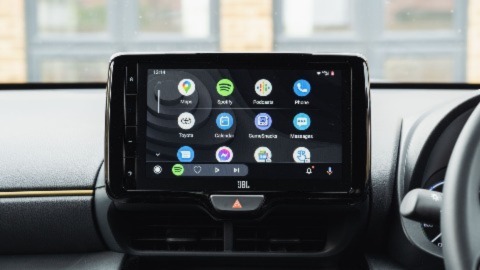
Apple CarPlay allows drivers to seamlessly connect their iPhone to their car, bringing many of the useful features and apps straight to the central infotainment touchscreen so that they can be used easily and safely when on the move.
Introduced in 2014, it started as an optional extra or part of an aftermarket infotainment system in many models, while today it comes standard on brand-new cars and iPhones. It overrides the car's infotainment system, allowing the driver to easily control the iPhone and its systems from the car's central touchscreen. You can access and use a range of apps, including music and radio, navigation, food ordering, and more.
So how does Apple CarPlay work, and what are its key features and benefits? This guide explains everything the connected driver needs to know.
- What is Apple CarPlay?
- What is Apple CarPlay Ultra?
- What features does Apple CarPlay have?
- How does Apple CarPlay work?
- Which cars offer Apple CarPlay?
- How to setup and connect Apple CarPlay
- Using Apple CarPlay while driving
- Why isn’t my Apple CarPlay working?
What is Apple CarPlay?
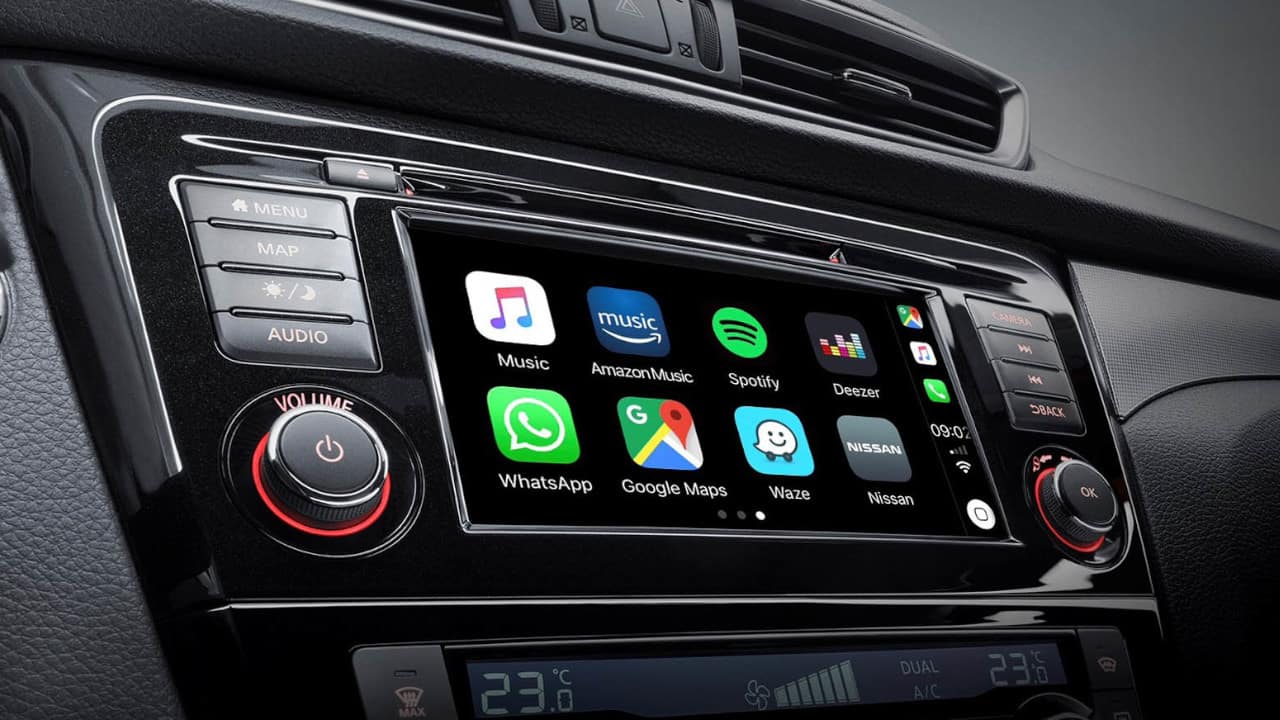
Apple CarPlay mirrors your iPhone's apps and services on the car's central infotainment system, so you can safely use them while driving. Like Android Auto, it lets you legally take phone calls, navigate your journey, listen to your favourite music or radio station, and even allows you to order food. Plus, it also doesn't work with all apps, only those deemed safe while driving
CarPlay is conveniently compatible with every Apple phone from the iPhone 5 onwards, so you don't need the latest generation of smartphones to gain access to its various features.
What is Apple CarPlay Ultra?
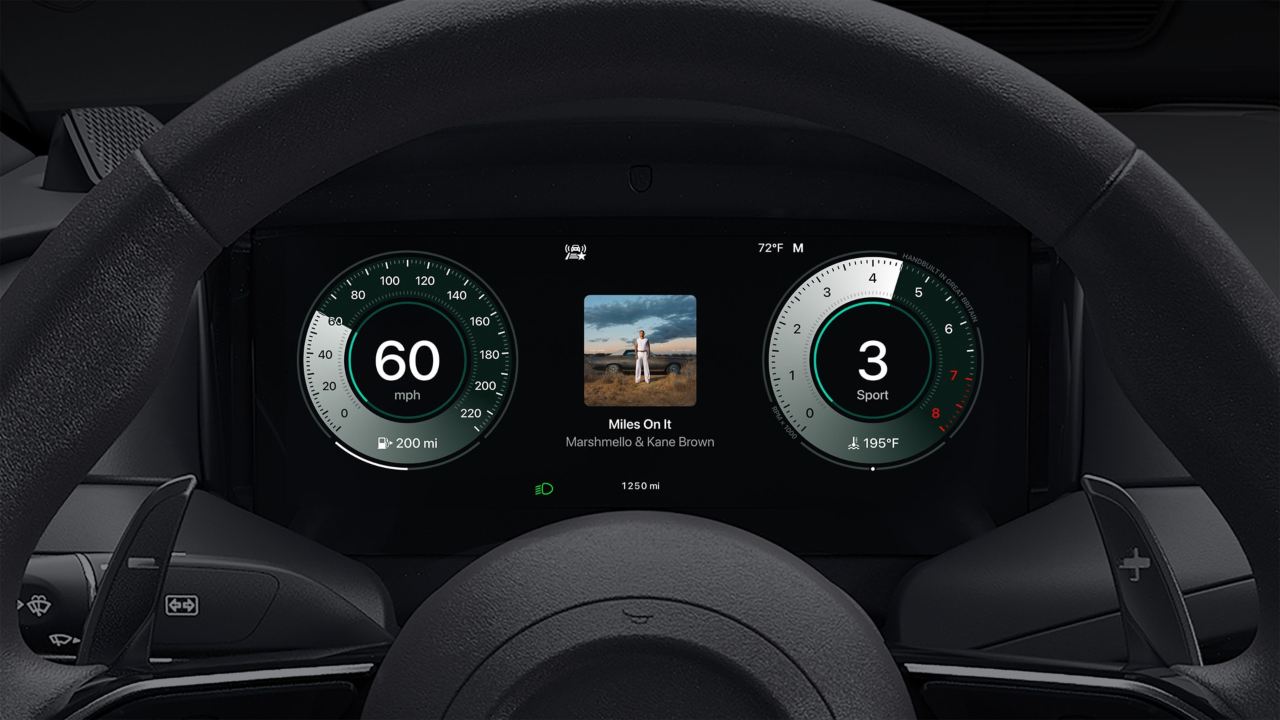
For those who love the latest technology, there is Apple CarPlay Ultra, an upgraded and refined version of the standard Apple CarPlay system.
As well as mirroring your phone onto the central touchscreen, it goes further, letting drivers customise their driver display and the central infotainment touchscreen, tailoring each screen to their personal preferences and tastes. This could be features such as colour and dial design, allowing a real personalised experience for the driver. Ultra also provides a new 'Car' app that allows drivers to adjust vehicle system settings, and it features new icons on the touchscreen for home, climate, and radio.
As of 2026, the system is only readily available on select Aston Martin models, whereas the standard Apple CarPlay system is available on a much wider range. However, brands such as Hyundai, Renault, and Kia are set to adopt the technology, and as technology inevitably continues to advance, we expect the Ultra system to be more readily available.
What features does Apple CarPlay have?
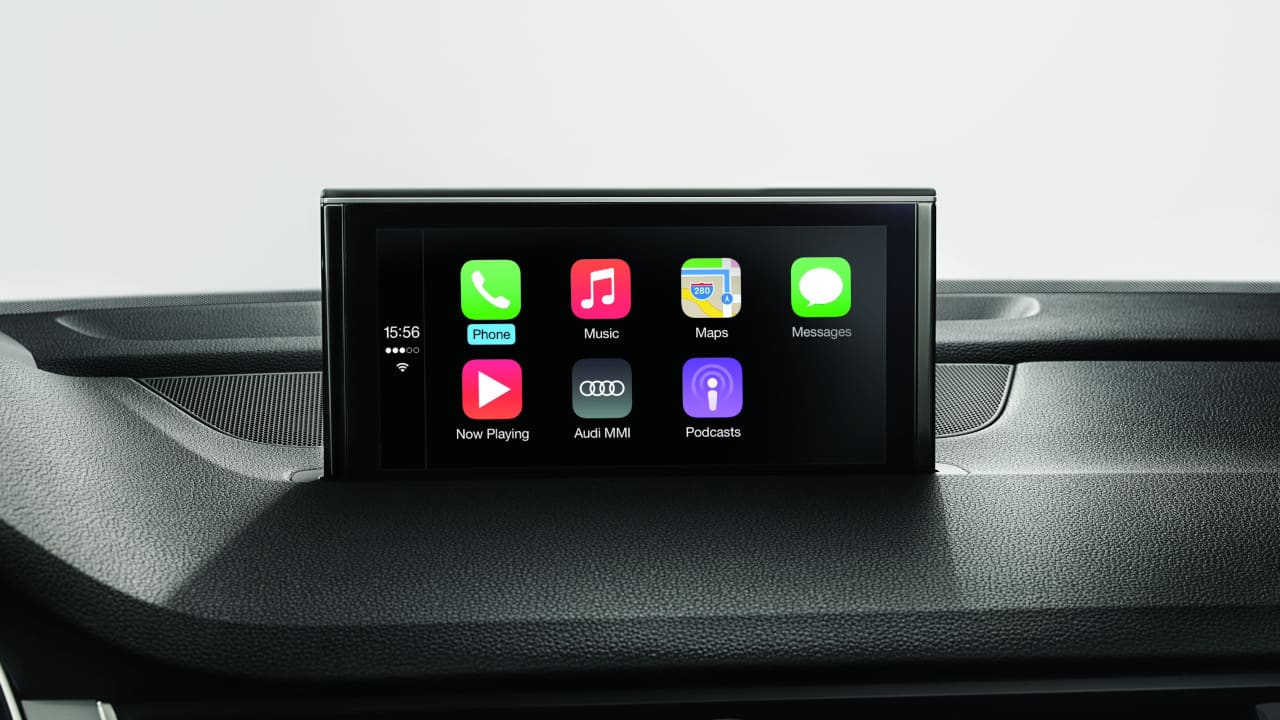
There are many features available through the CarPlay ecosystem that are designed to truly enhance your overall driving experience. Below are some of the more important apps and features that drivers will find most useful.
Navigation
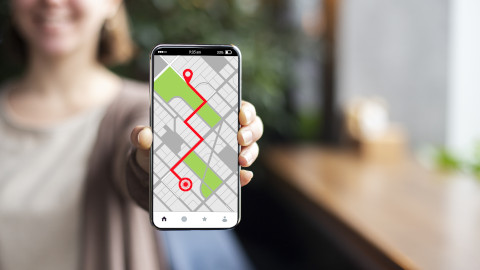
Whether you're using Apple Maps, Google Maps, or Waze, CarPlay will easily integrate with all three. It mirrors these apps so the navigation display features on the larger central infotainment screen, rather than your iPhone's screen, making them easier to follow and use.
You can completely control the apps using voice commands for hands-free routing and rerouting, and location searches, without taking your hands off the wheel, making them a fully safe option for navigating. For example, you can just ask Siri to navigate to the nearest petrol station or supermarket, and you don't even have to take your eyes off the road.
Music
CarPlay allows complete integration of your music and radio apps, such as Spotify, Amazon Music, Apple Music, and BBC Sounds, with full voice control, making it safer when searching for playlists, songs, or radio stations. It allows you to pause, change stations, select songs and search for podcasts while remaining fully in control of your vehicle.
Phone Calls & Notifications
For safer driving, CarPlay lets drivers use Siri to operate their phone. This can be making calls, searching for contacts, replying to messages (via voice commands), and accessing voicemail, all without taking your eyes off the road ahead.
Wider App Connectivity
It isn't just navigation and music that CarPlay works with. Other useful CarPlay apps include Microsoft Teams and Zoom for hands-free meetings, WhatsApp for connecting with friends and family via voice commands, and various charging apps for electric car users, such as ChargePoint, PlugShare, and Zapmap.
Apple is continuously updating CarPlay, with options such as Car Key, which allows you to unlock and lock certain models of your car using your phone, and the integration of a Liquid Glass UI display.
How does Apple CarPlay work?
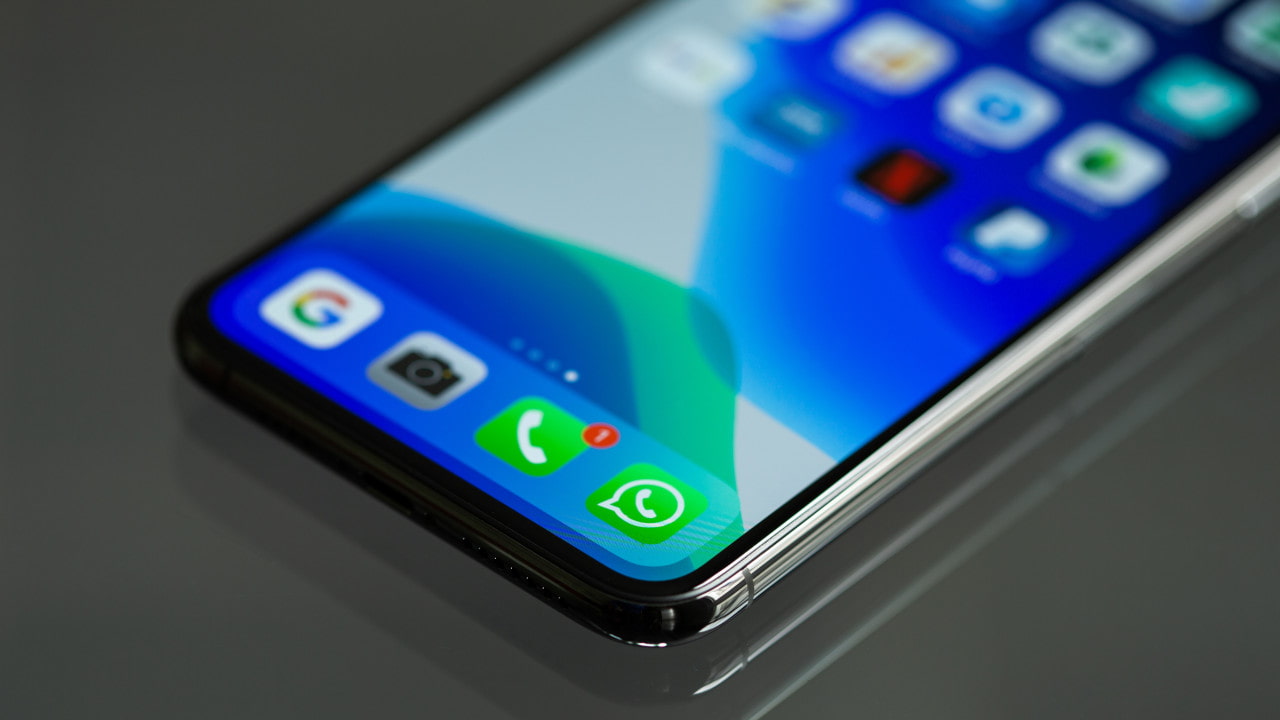
Apple CarPlay works by mirroring your iPhone's screen on your car's central touchscreen. You can connect your iPhone to your car's infotainment screen via Bluetooth, a USB-A port, or a USB-C port, then access the system on your infotainment screen with just a few taps.
Once you're behind the wheel, you can interact with it using Siri voice commands or the steering wheel controls. This means there's no need to divert your attention away from the road to take advantage of the system's helpful features.
What cars offer Apple CarPlay?

More than 800 car models currently support Apple CarPlay, with the feature now available on most new cars. This ranges from entry-level cars right up to premium brands. Ford is a major player in CarPlay, offering it on its latest models, including the Puma, Focus, and Mustang Mach-E.
A sample of the other mainstream brands that use it are Hyundai, BYD, Peugeot, and Chery, to name just a few, while luxury brands such as BMW, Mercedes-Benz, and Volvo also have Apple CarPlay connectivity. Aston Martin is currently the only manufacturer that offers CarPlay Ultra. However, the expansion of the upgraded version of CarPlay is expected to roll out on other brands and models in the future.
How to set up and connect Apple CarPlay
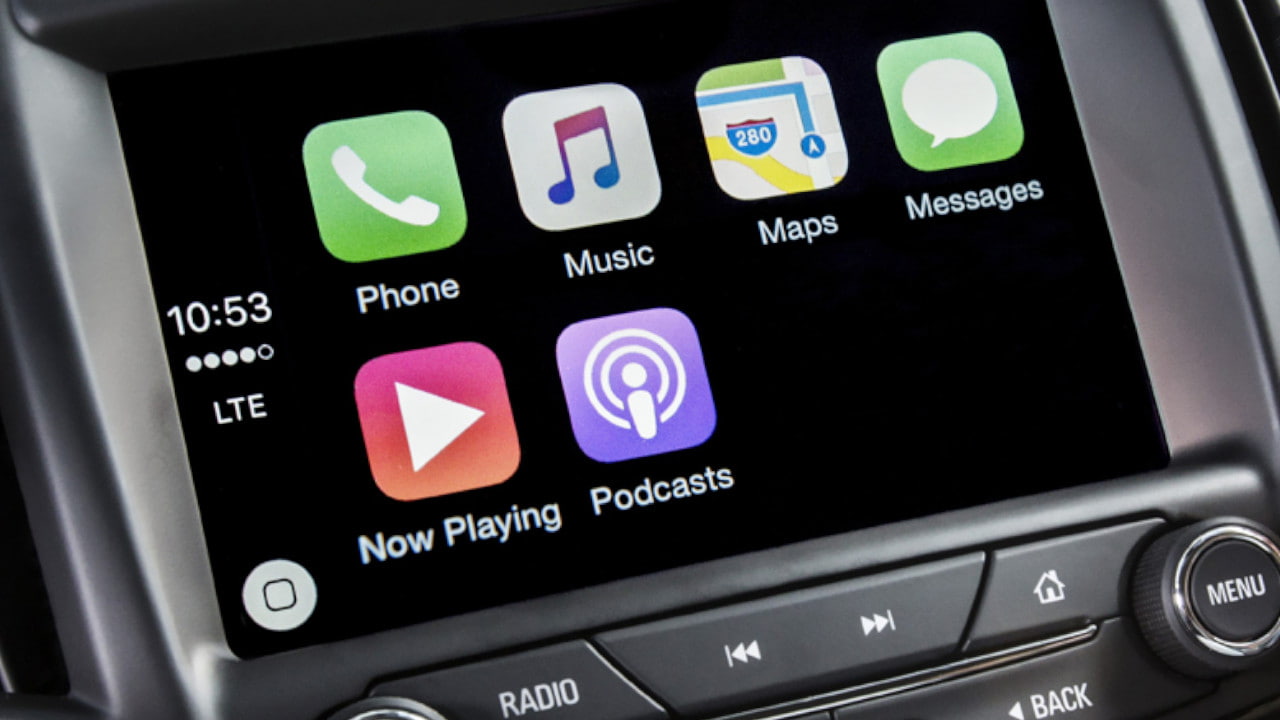
Apple CarPlay is relatively easy and quick to set up in any car model that supports it. Once you're initial setup is complete, using Apple CarPlay is as simple as plugging in your phone (or connecting wirelessly, if your vehicle allows), and the system will automatically boot. Your settings will be remembered each and every time you enter the vehicle, and they're device-based - if a friend or family member uses the CarPlay system in your vehicle, using their phone, they'll have their very own unique settings and configuration to suit their needs.
Setting up Apple CarPlay for the first time
Firstly, you don't need to install CarPlay on your iPhone. It's already there. You can connect it using a cable to a car’s USB, USB-C, or other socket, or via a wireless connection. Lots of cars can use wireless or a charging cable and socket, but note that each connection method requires a different setup.
If your car only supports wireless setup (or you'd prefer wireless), you may need to refer to your car's driver's manual for connecting your iPhone, as different models use different methods. You may also need to purchase a different iPhone charging cable, as cars tend to use the latest charging port type, whether USB-C or another newer port.
To connect for the first time, just locate and attach the cable to the car's socket type and your iPhone. This will most likely prompt you to connect Apple CarPlay to the infotainment touchscreen, where your phone's apps will then be displayed.
CarPlay works like any other infotainment system in your car. The most common method is to use your car's touchscreen, which is the quickest and easiest. However, some models, especially older ones, may control CarPlay using buttons and the rotary wheel.
For those who like to be extra safe when driving, using your iPhone’s Siri function to control Apple CarPlay is easily the most straightforward. Just use the command 'Hey Siri' followed by the instruction, such as 'play music' or 'make a call'.
Using Apple CarPlay while driving
While not inherently illegal, using a car's touchscreen while driving can be distracting. Choosing to utilise Siri's voice command option or steering wheel controls is a much safer method. You must never use your iPhone, even if it is connected to CarPlay. And you should never watch videos or play games while driving. This can be extremely dangerous. In fact, many video and gaming apps, such as YouTube and Netflix, won't work while CarPlay is connected.
Guidelines for legal and safe CarPlay use while driving:
- Use Voice Control: For a completely safe way to use Apple CarPlay, use Siri to navigate, make calls, and choose music.
- Minimal Screen Interaction: Although using the infotainment touchscreen is legal while driving, loss of concentration while tapping at the screen and distractions may still lead to a fine and points if you are caught overusing or if your driving is affected.
- No Phone Use: Even if your phone is nearby and CarPlay is connected via a charging cable, it is illegal to use your phone while driving. Keep it away from you, and if you're using it wirelessly, put it in the glove box or another front storage area. Failure to do so could lead to a fine and points on your driving license.
- Keep Focused: Keep control of your vehicle at all times, regardless of any technology, including CarPlay, in use.
Why isn’t my Apple CarPlay working?

Although CarPlay should work seamlessly, there are some common issues that can be resolved simply by including your iPhone's settings. So, before throwing your phone out the window, check your settings and privacy restrictions first. Check CarPlay to see if it's enabled, and this might solve the problem. If this doesn't fix the issue, there are other things you can check.
- Check the manual: Have a look at your manual and ensure everything is connected correctly, whether that's your charging cable or a wireless connection.
- Check the manufacturer's website: Some issues can be easily explained there. Make this your next port of call.
- Restart your phone: Have you tried turning it off and on again? Restart your device by turning it off and on again. This usually fixes many issues.
- Bluetooth connection: Check your phone's settings to ensure Bluetooth is enabled. Also, if you have other Bluetooth devices, such as an iPad, make sure they're not trying to connect to your car.
- Check CarPlay: Ensure it's enabled and the settings are correct.
- USB and charging cables: If you're sure it's not your phone, check your USB socket for fluff or grit, and check your charging cables in case they are faulty.
- Siri: If CarPlay isn't reacting to your voice commands, check the Siri settings to make sure they're working correctly.
- Update your device: Make sure your iPhone has all apps up to date and that you're using the latest version of iOS to ensure CarPlay will work in your car.
Frequently asked questions
Apple CarPlay wirelessly connects to your car via Bluetooth or a charging cable. This method will depend on the car you are connecting to, and you may need to connect via a cable when using it for the first time. Refer to your car's manual or the manufacturer's website for connecting wirelessly.
Once CarPlay has been set up, your iPhone should be recognised every time you get in your car, and should connect automatically. Using wireless connectivity lets you keep your phone out of reach so you're not tempted to use it illegally while driving.
Yes. On some models, you can buy and install aftermarket infotainment systems. Make sure the car has a standard-sized (single- or double-DIN) sound system for installing. We recommend having a car audio professional install this for you. Please note that this may also void the warranty of your vehicle or certain components. It's also worthwhile double-checking with your insurer; as retro-fitting is technically a modification, they should be informed to ensure you're correctly covered.
Simply go to Settings, then General on your iPhone, find the CarPlay option, and select 'Forget this Car'. You can also toggle off CarPlay in allowed apps. Other methods for a temporary solution include turning Bluetooth off or disconnecting the cable.
Yes, Apple CarPlay is free to use if your car has it. It comes installed on iPhones from the iPhone 5 as standard. You don't need a license or subscription to use it. The only place where it may cost you is if your vehicle doesn't come with it as standard, instead choosing to offer it as a paid option.
No. It's illegal to watch any type of video while driving. CarPlay does not support many video apps, such as YouTube and Netflix, and if you do so, you could end up with a fine and points on your licence. There are technically third-party systems that 'piggyback' your CarPlay system and play videos through your infotainment screen, but we must reiterate that watching videos while driving is illegal. If you choose to use such a system, only do so while parked.
No, you generally can't. However, some cars have their own phone integration software, and if you have an Android phone, there is an alternative called Android Auto.
Is Apple CarPlay Worth It?
If you own an iPhone and your car supports Apple CarPlay, it's definitely worth using it while driving. It'll enhance your in-car experience and make driving safer, allowing you to use many apps for music, navigation, and more while keeping your eyes on the road.
If you're unsure if a car has Apple CarPlay integration, check with your local Evans Halshaw retailer and speak to one of our experts. They'll be able to show you what manufacturers and models support CarPlay, helping you find the perfect car to stay connected wherever you go.